
Restaurant & Café POS Systems in the Philippines (2026): Kitchen Display, Table Management & BIR Setup Guide
- 01Interactive Table Mapping & Multi-Seat Guest Ordering
- 02Real-Time Cloud Kitchen Display System (KDS) Architecture
- 03BIR Compliance: Automated Senior Citizen & PWD Formula (R.A. 9994)
- 04Split Billing, Service Charge (R.A. 11360) & Payment Routing
- 052026 Total Cost of Ownership (TCO): Opulent NX vs. Foreign POS Stacks
- 06Frequently Asked Questions (FAQs) for Philippine Food Establishments
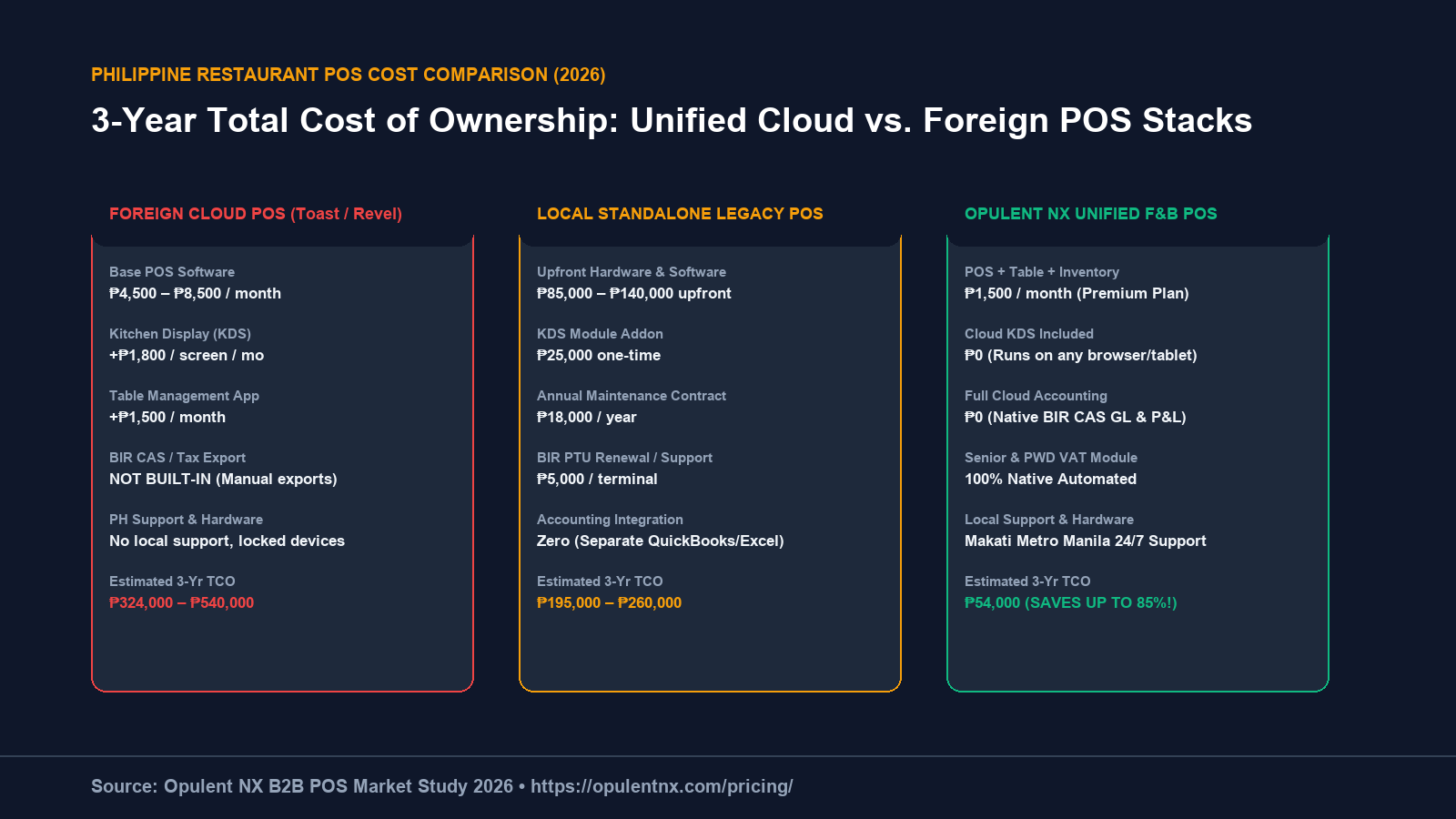
What is the best POS system for restaurants, cafés, and food businesses in the Philippines in 2026? While foreign software like Toast and Revel charges over ₱6,500 to ₱12,000 per month (excluding expensive proprietary terminals and third-party accounting sync tools), and legacy local POS vendors lock restaurants into ₱90,000+ upfront hardware bundles, Opulent NX’s unified Restaurant & Café POS platform delivers cloud Kitchen Display Systems (KDS), dynamic table layout management, course sequencing, split billing, and automated Senior Citizen / PWD VAT deductions starting at just ₱1,500/month with full Philippine BIR CAS cloud accounting included.
Running a high-velocity dining establishment in Metro Manila, Cebu, or Davao requires vastly different operational capabilities than standard retail checkout. In food and beverage (F&B), seconds dictate customer satisfaction. A single communication breakdown between dining room waitstaff and line cooks can ruin table turn times, spoil food margins, and trigger damaging online reviews.
Moreover, Philippine restaurateurs face strict regulatory mandates under the Ease of Paying Taxes (EOPT) Act (Republic Act No. 11976), BIR Revenue Regulations (RR) No. 7-2024, BIR RR No. 26-2025, and the Expanded Senior Citizens Act (R.A. 9994) / PWD Magna Carta (R.A. 10754). Your point-of-sale terminal must not only route tickets to kitchen prep stations—it must seamlessly compute VAT exemptions, print valid BIR Sales Invoices, and post audited journal entries directly to your financial books.
📋 In This Comprehensive 2026 Restaurant POS Guide:
- 1. Interactive Table Mapping & Multi-Seat Guest Ordering
- 2. Real-Time Cloud Kitchen Display System (KDS) Architecture
- 3. BIR Compliance: Automated Senior Citizen & PWD Formula (R.A. 9994)
- 4. Split Billing, Service Charge (R.A. 11360) & Payment Gateway Routing
- 5. 2026 Total Cost of Ownership (TCO): Opulent NX vs. Foreign POS Stacks
- 6. Frequently Asked Questions (FAQs) for Philippine Food Establishments
1. Interactive Table Mapping & Multi-Seat Guest Ordering
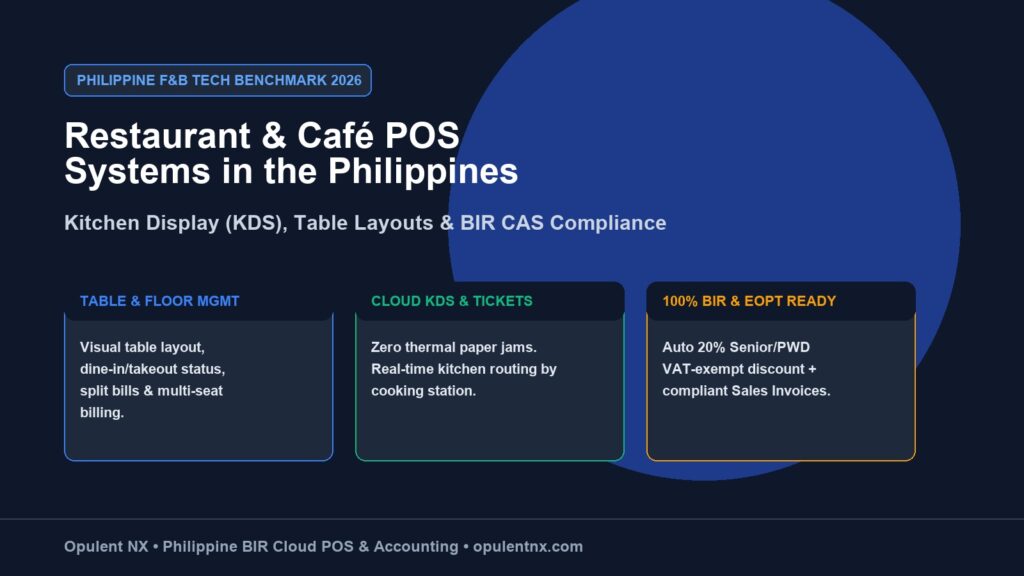
Unlike retail where products are scanned at a fixed counter, restaurant hospitality revolves around zones, courses, and guest seat numbers. A modern restaurant POS must offer dynamic visual floor layouts that mirror your physical dining space.
With Opulent NX’s Table Management Module, floor managers can:
- Customize Multiple Dining Areas: Configure distinct visual grids for Main Dining, Al Fresco Patio, Private Function Rooms, and the Bar.
- Live Table Status Color-Coding: Instantly view tables categorized by status: Available (Green), Seated / Ordering (Blue), Food Served (Yellow), Bill Requested (Purple), and Payment Processing (Red).
- Table Merging & Splitting: Combine tables effortlessly for large party banquets or transfer guests between indoor and outdoor seating with a single swipe.
- Seat-Specific Item Tracking: Assign each appetizer, entrée, and beverage to specific seat numbers, eliminating awkward server food auctions at delivery.
2. Real-Time Cloud Kitchen Display System (KDS) Architecture
Traditional impact kitchen printers are notorious for running out of ribbon, jamming thermal paper during Friday dinner rushes, and generating loud noise in open-kitchen concepts. Opulent NX replaces physical printers with a responsive, browser-based Cloud Kitchen Display System (KDS).
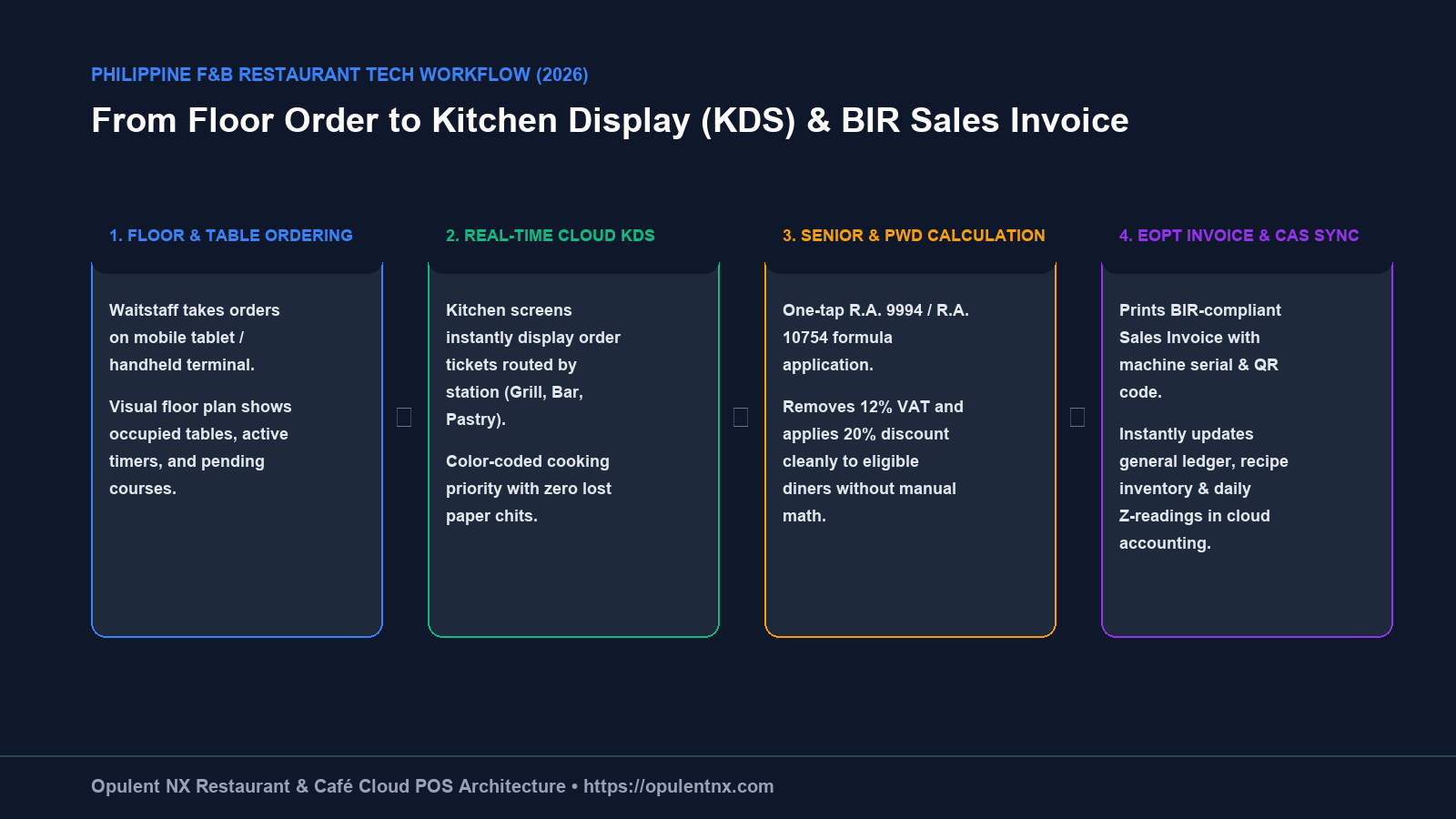
Every order punched by waitstaff on mobile tablets or countertop stations is instantly routed to designated kitchen prep stations based on recipe tags:
- Station Routing: Hot kitchen items go to the Grill/Wok KDS, sushi/cold salads to the Pantry KDS, and cocktails/smoothies to the Bar Screen.
- Cooking Timers & Color Alerts: Orders change color automatically from Green to Amber to Flashing Red if preparation exceeds pre-set standard ticket times (e.g., 15 minutes).
- Expeditor Screen (Expo Mode): The head chef or expeditor sees a consolidated view of all active tickets across all stations, ensuring whole-table food arrives piping hot simultaneously.
3. BIR Compliance: Automated Senior Citizen & PWD Formula (R.A. 9994)
In the Philippines, manual calculation of Senior Citizen (SC) and Persons with Disability (PWD) discounts is one of the most common causes of cashier error, audit discrepancies, and angry dining patrons.
Under Republic Act No. 9994 and Republic Act No. 10754, eligible Filipino diners are legally entitled to:
The Statutory BIR Senior/PWD Formula:
1. Remove 12% VAT: (Qualifying Gross Bill ÷ 1.12) = VAT-Exempt Sales
2. Deduct 20% Discount: VAT-Exempt Sales × 0.20 = Special Senior/PWD Discount
3. Net Amount Payable = VAT-Exempt Sales − Special Senior/PWD Discount
When an eligible diner eats as part of a group, the discount applies proportionally to their individual consumption or equal share of group-shared food. Opulent NX calculates this with a single click: enter the number of seniors in the party, and the system automatically backs out the 12% output VAT for their share and applies the 20% discount cleanly on the printed BIR Sales Invoice.
4. Split Billing, Service Charge (R.A. 11360) & Payment Routing
Under Republic Act No. 11360, 100% of all collected service charges must be distributed completely and equally among rank-and-file restaurant employees. Opulent NX automatically categorizes collected service charges separately from gross sales revenue in your General Ledger, ensuring zero commingling of employee gratuities with taxable company income.
Furthermore, Opulent NX provides flexible payment flexibility at checkout:
- Split by Seat / Individual Items: Allow diners at the same table to pay only for what they ordered.
- Split Evenly: Divide the remaining total evenly across 2, 4, or 10 separate credit cards, GCash, or Maya QR codes.
- Multi-Tender Payments: Accept partial cash and partial electronic e-wallet payment on the exact same ticket.
5. 2026 Total Cost of Ownership (TCO): Opulent NX vs. Foreign POS Stacks
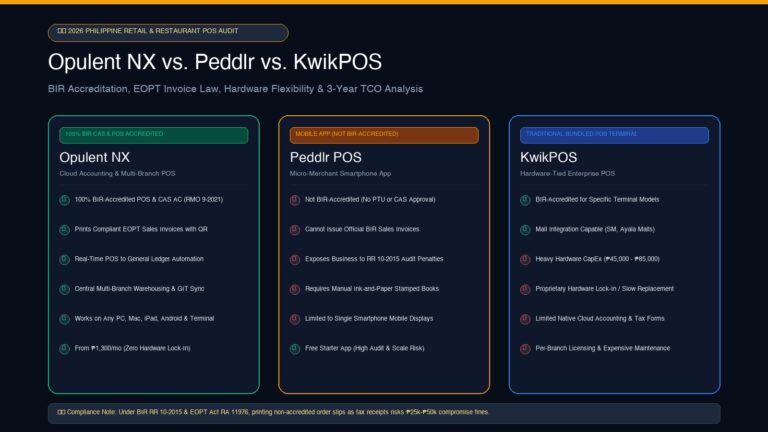
Many restaurant owners fall into the trap of subscribing to foreign restaurant platforms that lack native Philippine tax infrastructure. Here is how foreign software compares to Opulent NX over a 3-year operating period:
6. Frequently Asked Questions (FAQs) for Philippine Food Establishments
1. Does Opulent NX POS work on standard Android tablets or iPads?
Yes! Opulent NX is completely hardware-agnostic. You can run the cashier station on any Windows touch PC, iPad, or Android tablet, and run Kitchen Display Systems (KDS) on inexpensive consumer tablets or smart TVs connected via Google Chrome.
2. Can we continue ringing dining orders and printing receipts if the restaurant internet goes down?
Yes. Opulent NX features offline-first storefront resilience. If your local fiber or mobile Wi-Fi connection disconnects during a busy rush, waitstaff can continue taking table orders and printing receipts locally. Once internet connectivity is restored, all transactions automatically sync to the cloud database and General Ledger.
3. Does Opulent NX track raw ingredient recipe inventory and food cost variance?
Yes. Every menu item can be tied to a standard Bill of Materials (BOM) or recipe. Selling an order of Wagyu Burger automatically depletes 1 beef patty, 1 brioche bun, and 30g cheese from your central pantry inventory, providing real-time theoretical vs. actual food cost tracking.
4. How quickly can our restaurant get up and running?
Most single-outlet cafés and casual dining restaurants complete setup within 24 to 48 hours. Our onboarding team helps upload your menu, price list, floor plan, and recipe data during your free 30-minute onboarding call.
See Opulent NX Live in Action
Book a free 15-minute walkthrough with our Philippine BIR & POS specialists. Start your 7-day free trial and see how we unify your cashier POS, inventory, and BIR accounting books.
- ✓ 100% BIR-Accredited POS & CAS / EOPT Compliant (From ₱1,300/mo)
- ✓ Real-Time POS to General Ledger & Multi-Warehouse Sync
- ✓ Free 7-Day Trial + 30-Min 1-on-1 Setup Call & PTU Assistance
Continue Reading: Related Philippine Compliance Guides